
An installer that knows what it's doing.
An installer that knows what it’s doing.
Vanilla Arch underneath. A configuration knowledge base on top — every setting, every interaction between settings, transparently encoded.
# installer pipeline — NVIDIA detection
$ detect          Quadro K3100M (PCI 11b6)
$ cross-reference github.com/NVIDIA/open-gpu-kernel-modules
$ cross-reference nvidia.com/…/legacy-gpu
$ decide          recommend proprietary legacy driver 470
$ verify          nvidia-470xx-dkms present in the repository
✓ four conflicting options resolved into one consistent defaultThree principles, applied throughout.
Every choice is data
Settings, dependencies, and lifecycle scripts live in a KDL knowledge base — auditable, forkable, fetched at install time so improvements ship without re-spinning an ISO.
Security by default
Per-CPU vulnerability mitigation, system hardening sysctls, restricted user namespaces, optional hardened_malloc. Opt-out, not opt-in — and every trade-off is explained where you make it.
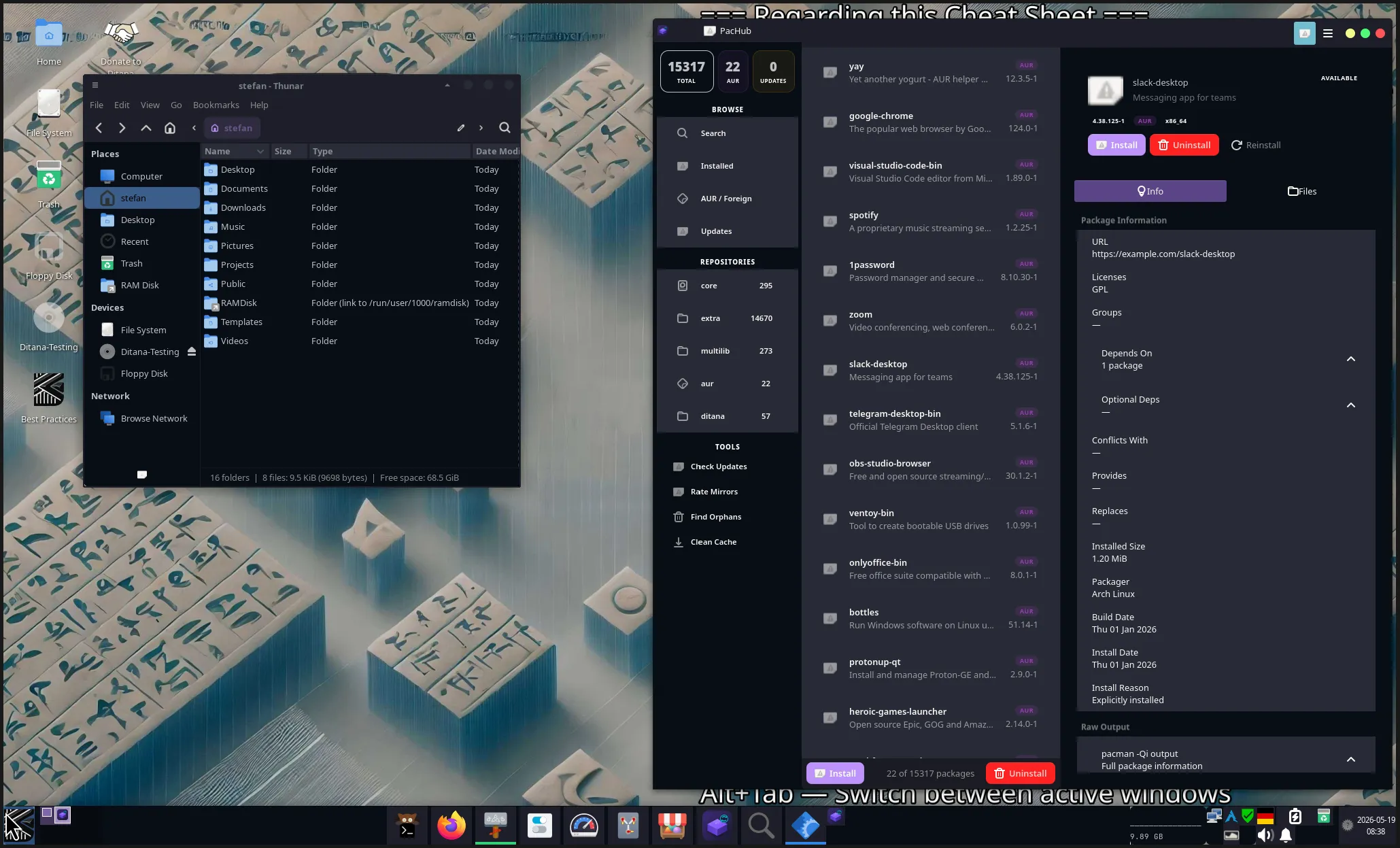
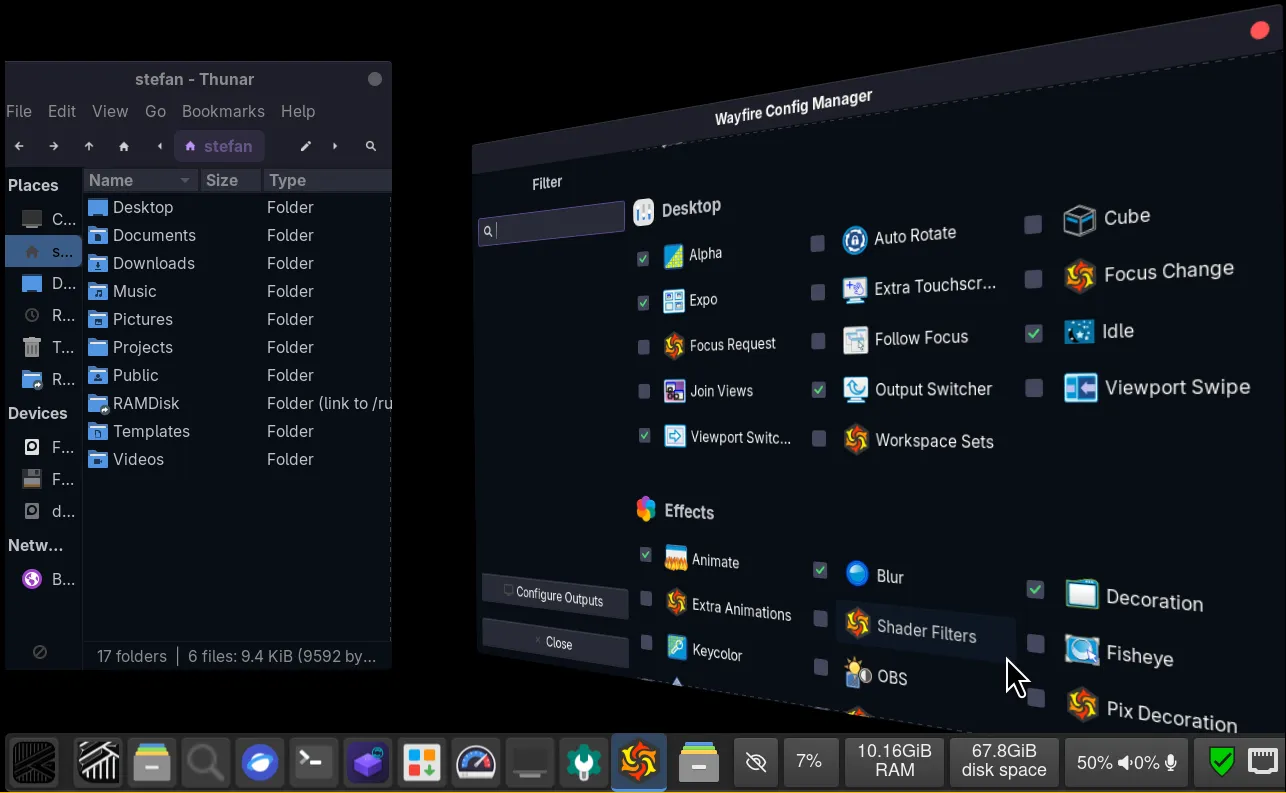
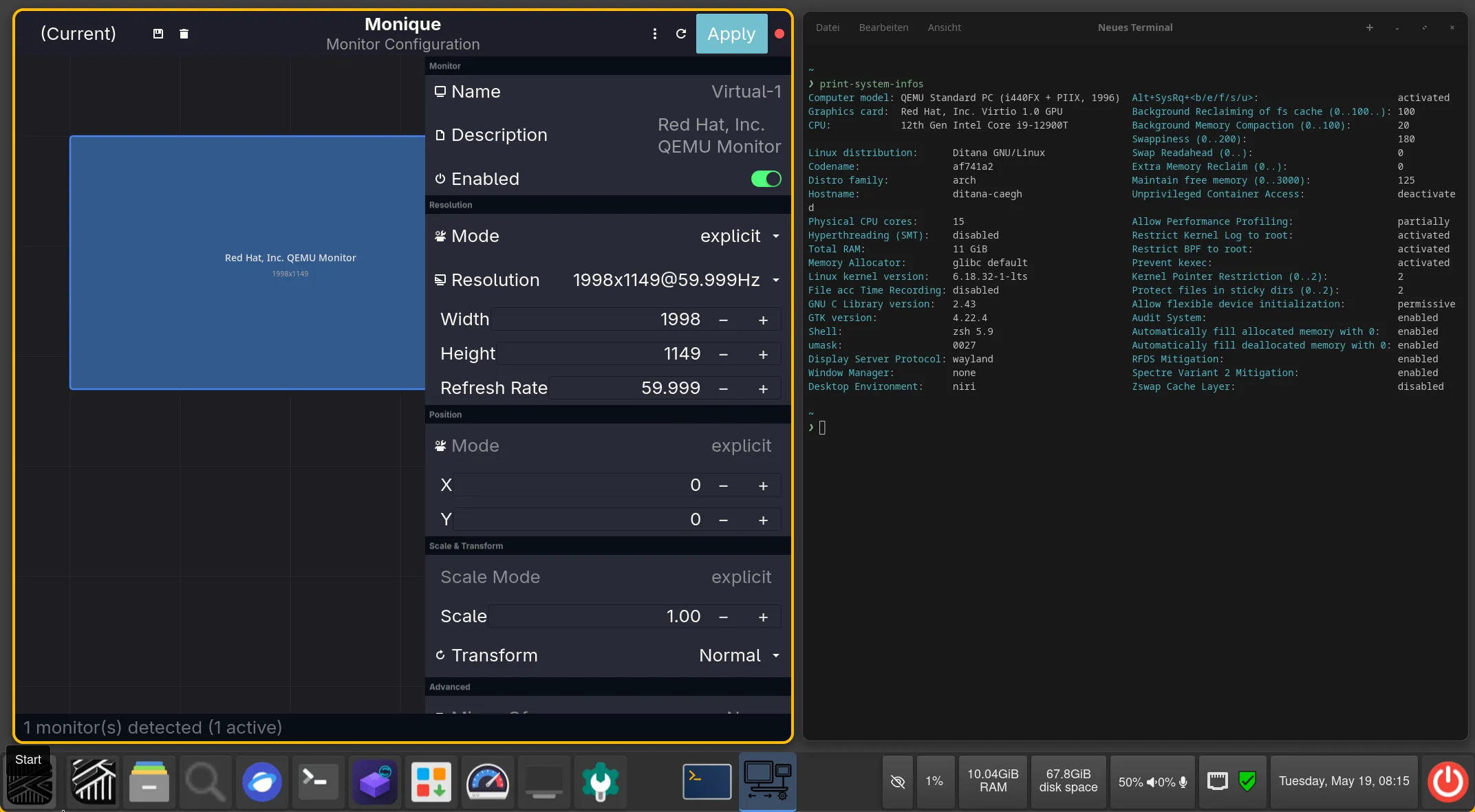
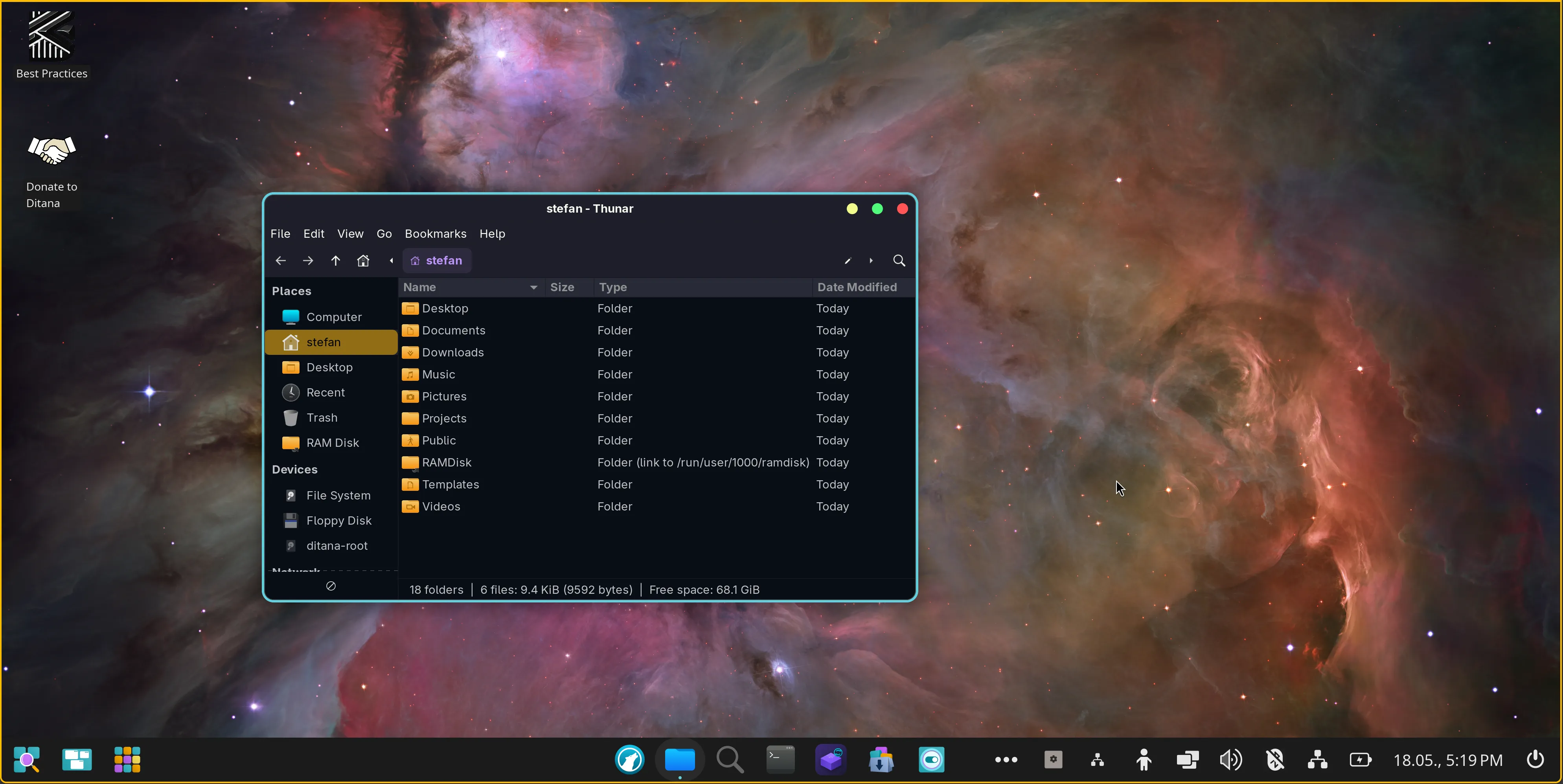
XFCE · Wayfire · Niri · COSMIC
Pick one, or install all four side by side and switch from the greeter. Wayfire and Niri come with waybar, nwg-launchers and nwgbar already configured; XFCE and COSMIC bring their own panels. None of them is a stripped-down minimum.
Four equal desktops, not one default and three afterthoughts.
Wayfire and Niri are commonly considered incomplete environments. Ditana ships everything they need — a polished waybar, nwg-launcher, nwgbar, and a consistent panel layout — and treats all four desktops as first-class citizens.
Every upgrade is reversible.
Arch’s rolling-release model is a feature, not a bug — but it can land breakage on a Tuesday morning. Ditana takes the sting out by snapshotting the system before every upgrade, automatically.
Atomic snapshots, taken by a pacman hook.
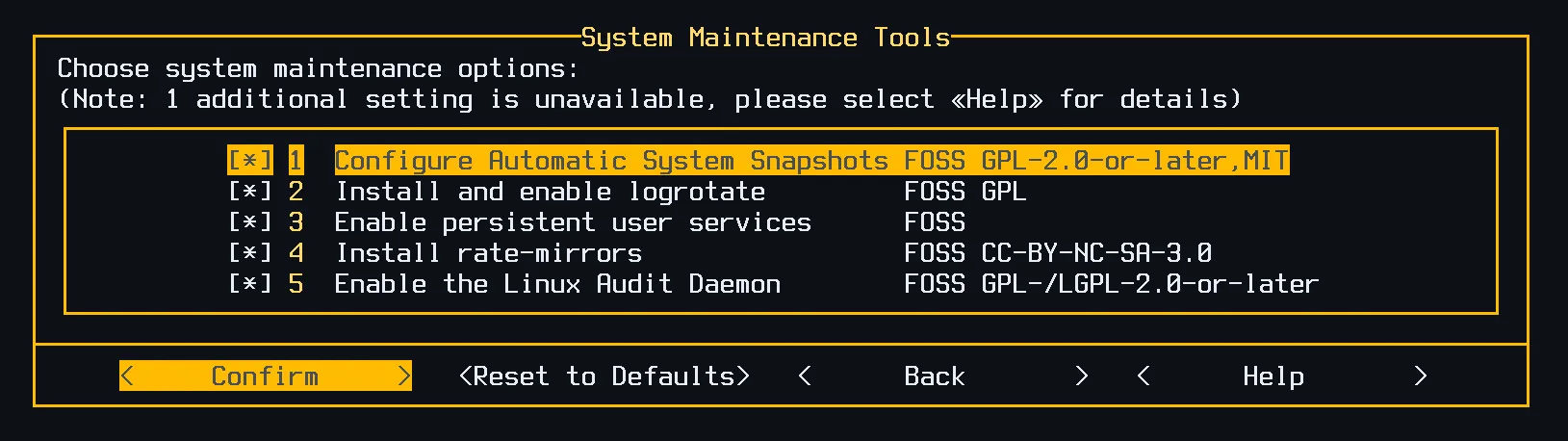
On ZFS and BTRFS, snapshots are atomic and free — a few milliseconds before any package upgrade. On XFS and EXT4, Timeshift handles the same job via rsync, completing typical incremental snapshots in seconds.
The first snapshot is created by the installer itself, just before the first reboot. That means you can roll back to a freshly-installed system from day one — no setup, no first-upgrade chicken-and-egg.
System snapshots, not data snapshots: /home and other data volumes are never touched. Roll back the system; keep your work.
For ZFS, Ditana ships its own zfs-autosnap fork that — unlike the upstream — removes the pacman lock file from the snapshot, so a rollback leaves you with a working pacman immediately.
Headless too. System hardening plus automatic snapshots make Ditana a viable Arch-based server choice — uncommon for a rolling release. The installer’s Server profile skips the desktop install entirely and leans into the security defaults.
It checks the upstream sources at install time.
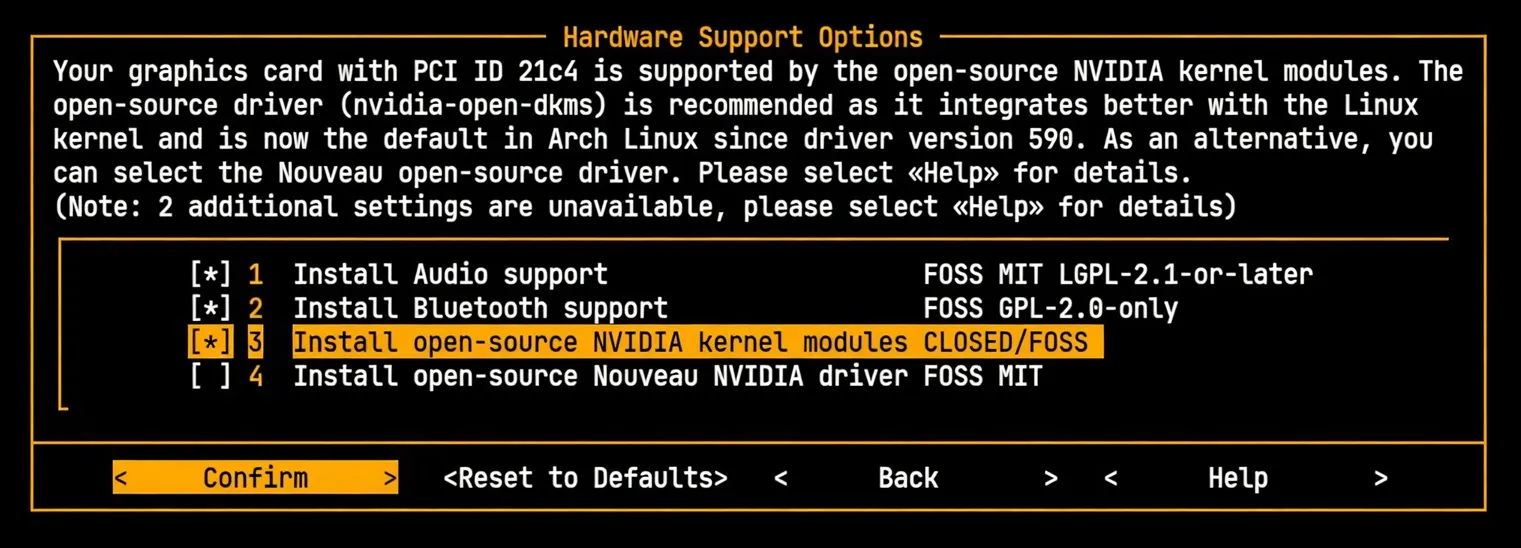
NVIDIA detection, four-way decision.
Ditana queries the live PCI ID lists from github.com/NVIDIA/open-gpu-kernel-modules and the official legacy GPU page at install time. Based on the result, it recommends one of four driver options – nvidia-open-dkms, the legacy proprietary nvidia-580xx-dkms, the older nvidia-470xx-dkms, or nouveau – and checks that the package it is about to recommend is present in the repository, reverting to nouveau when it is not.
It then explains what it picked, and why.
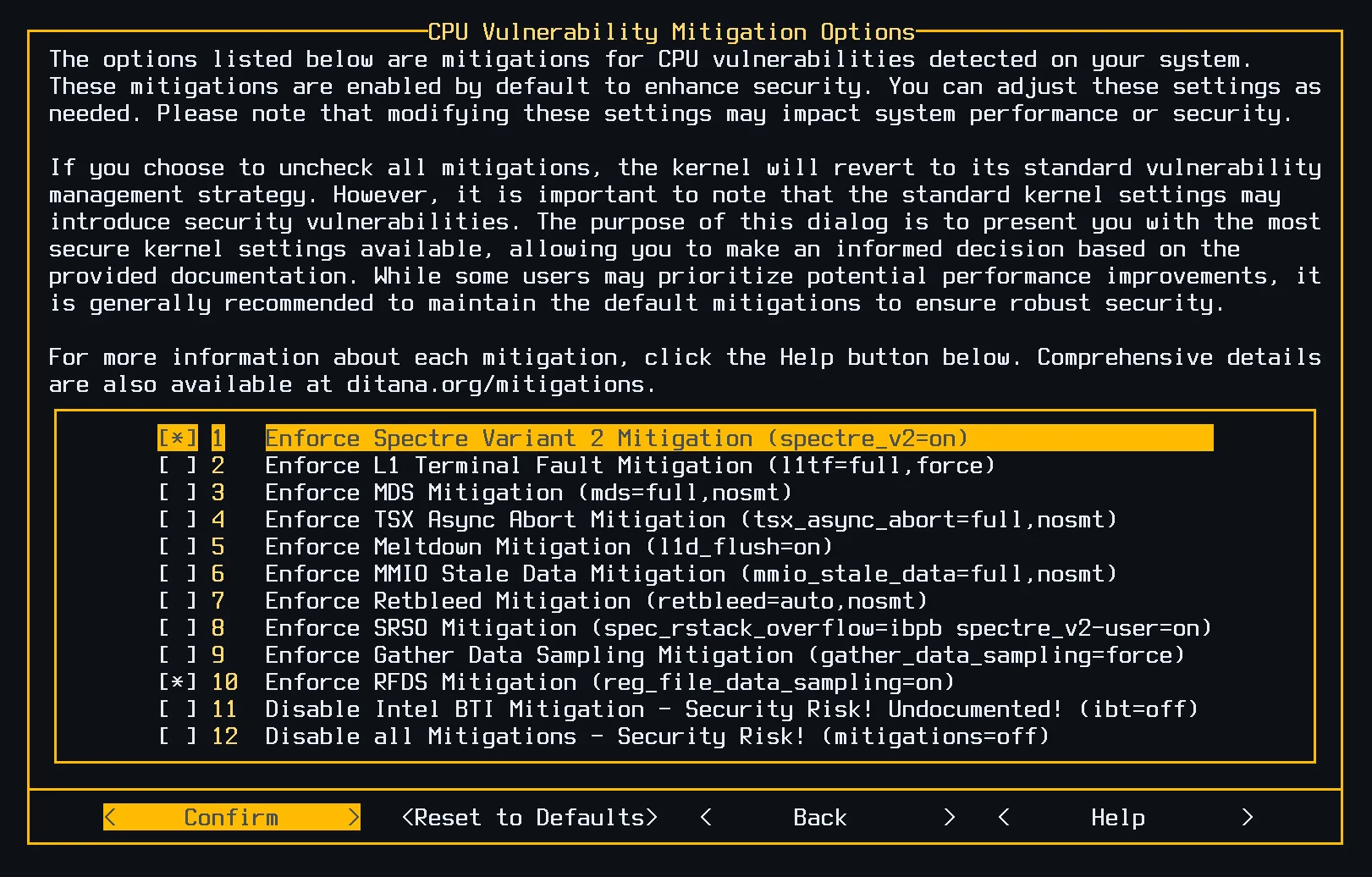
CPU vulnerabilities, detected and mitigated.
Spectre v2, Meltdown, MDS, TAA, MMIO Stale Data, RETBleed, SRSO, GDS, RFDS — Ditana reads /sys/devices/system/cpu/vulnerabilities/ at install time, enables only the mitigations your CPU actually needs, and lets you review each one with documentation.
Every mitigation comes with its cost spelled out, so you can make an informed call instead of choosing between “secure default” and “fast default” blindly.
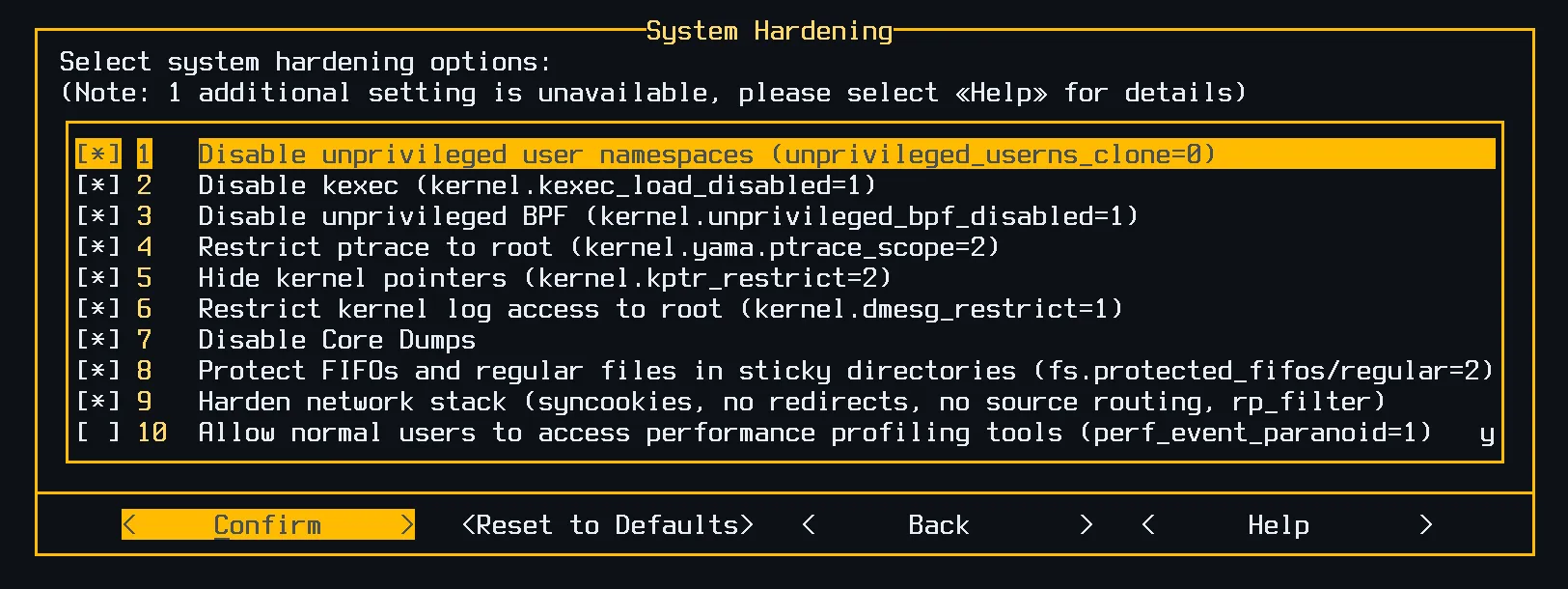
System hardening, opt-out by default.
Unprivileged user namespaces restricted to the programs that need them. Restricted ptrace. Hidden kernel pointers. Hardened FIFO and regular-file protection in sticky directories. SYN cookies, no ICMP redirects, no source routing, reverse-path filtering. Each option ships enabled, each one is explained – and developers get a profile that loosens the right things for debugging.
Ten categories. Sensible defaults. No mystery.
Tell the installer who you are – originating from a different distribution, migrating from KDE Plasma, Cinnamon, Xfce or MATE, working as a developer, running as a server, or falling into none of these – and it accordingly pre-flips checkboxes. You may examine and revise every single one prior to the start of installation.
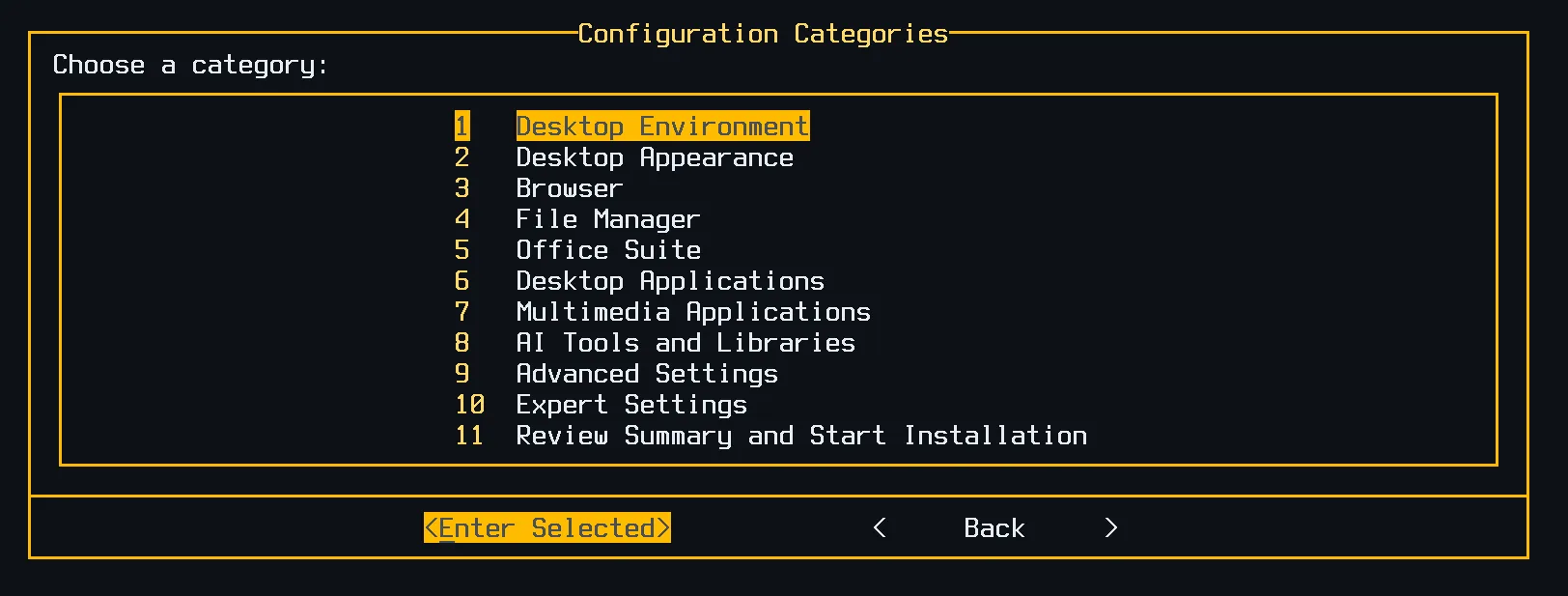
One screen, the whole system.
Configuration categories let you drill into desktops, browsers, file managers, office suites, AI tools, terminals, kernels, filesystems, hardening, mitigations, and the system allocator — all from one menu, all reversible, all explained.
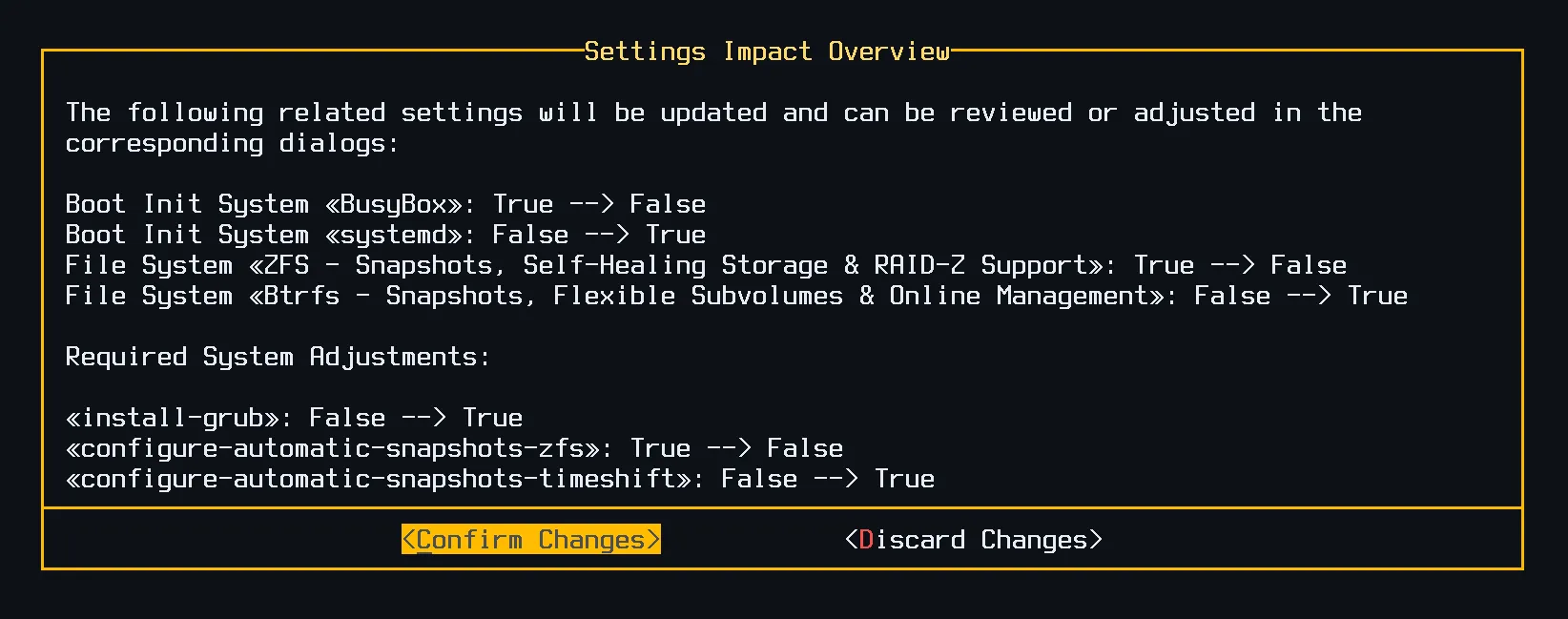
Every change comes with its impact.
Toggle an option, see the consequence: which packages get added, which scripts will run, what other settings flip in response. The settings graph is data — Ditana shows you the path through it.
The installer is small. The knowledge base is big.
A Linux installer should do more than partition, install packages, and hand off. PKGBUILDs only know about their own package — they can’t know what else is on the system. Ditana keeps the cross-cutting decisions in a separate, auditable knowledge base.
Settings declare their dependencies in plain KDL.
This excerpt says: install kitty only if the chosen terminal operates on Wayland alone and XFCE is also installed. Nobody would consider requesting that, and nobody needs to: the rule stands beside the package list, where a reviewer can see both the condition and the reason for it, rather than being hidden within installer code.
// XFCE fallback for Wayland-only primary terminals
// (foot, cosmic-term). Fires when the user picks a
// Wayland-native terminal AND also installs XFCE.
- name="fallback-kitty-for-xfce" \
  default-value="`(install-foot OR install-cosmic-term)
                  AND install-xfce`" {
    arch-packages "kitty" "imagemagick" ...
    chroot-script "echo kitty.desktop
                   >/etc/xdg/xfce-xdg-terminals.list"
}
Ready to try it?
Ditana 0.9.4 Beta is a 1.9 GB ISO with a detached GPG signature. It fetches its packages and its configuration while it installs, so a working network connection is part of the requirements. The full install takes 15–45 minutes depending on what you pick.